Ready, Set, Print!
Unlock the secrets of your library printer with this simple tutorial. Bid farewell to confusion and welcome stress-free printing in your coworking!
Obtain login credentials by sending an email at members@mix.brussels. Those credentials will help you access the PaperCut web app, enabling you to print seamlessly using the library’s printer for your desired documents.
Each member has a quota of 40 credits per month. 1 print = 1 credit.
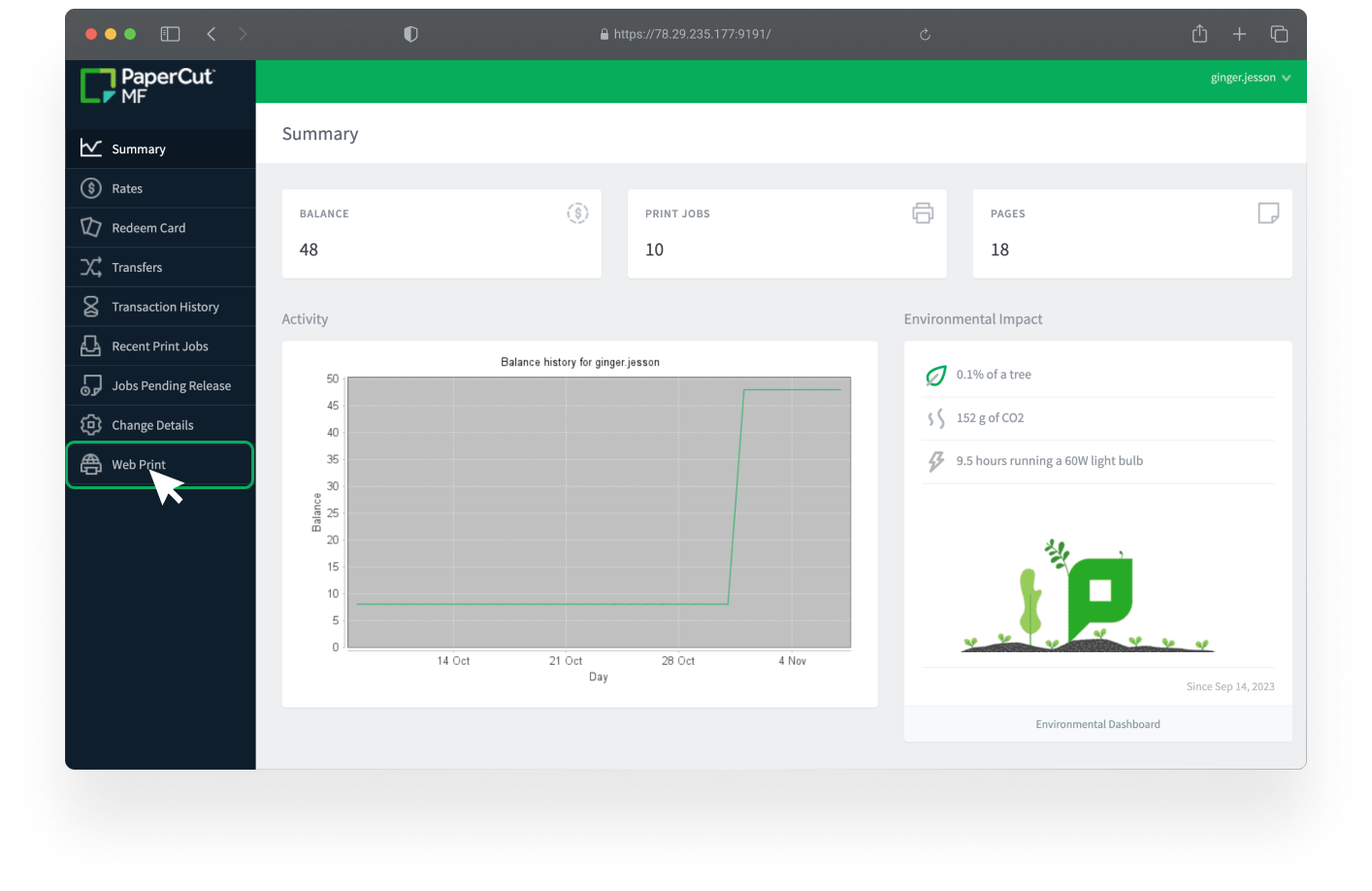
First steps
– Connect to mix_guest
– Go on this webpage
– Use your login & password to enter your account, request one
– Click on the “web print” section
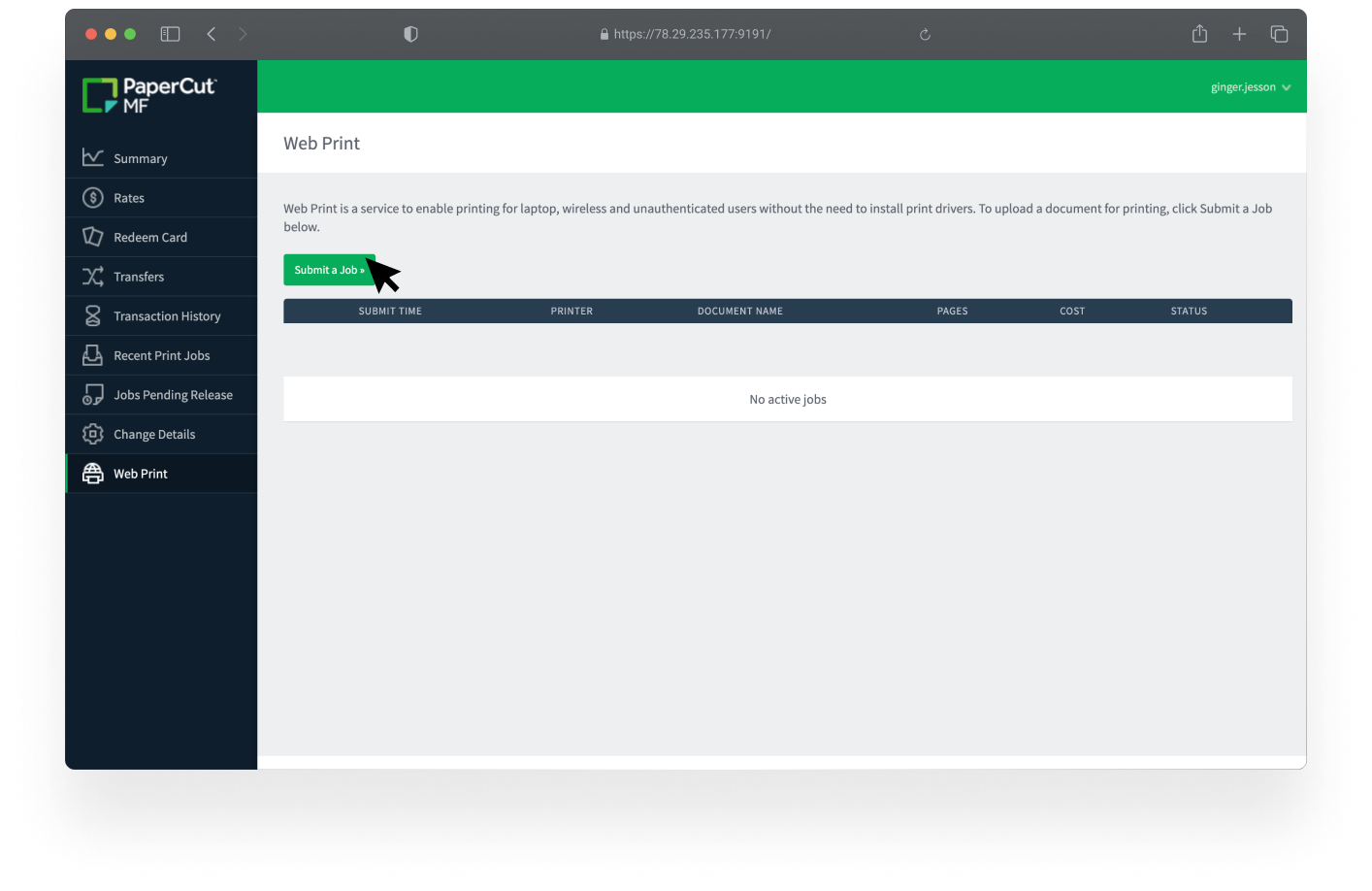
Step 2
– Select “submit a job”
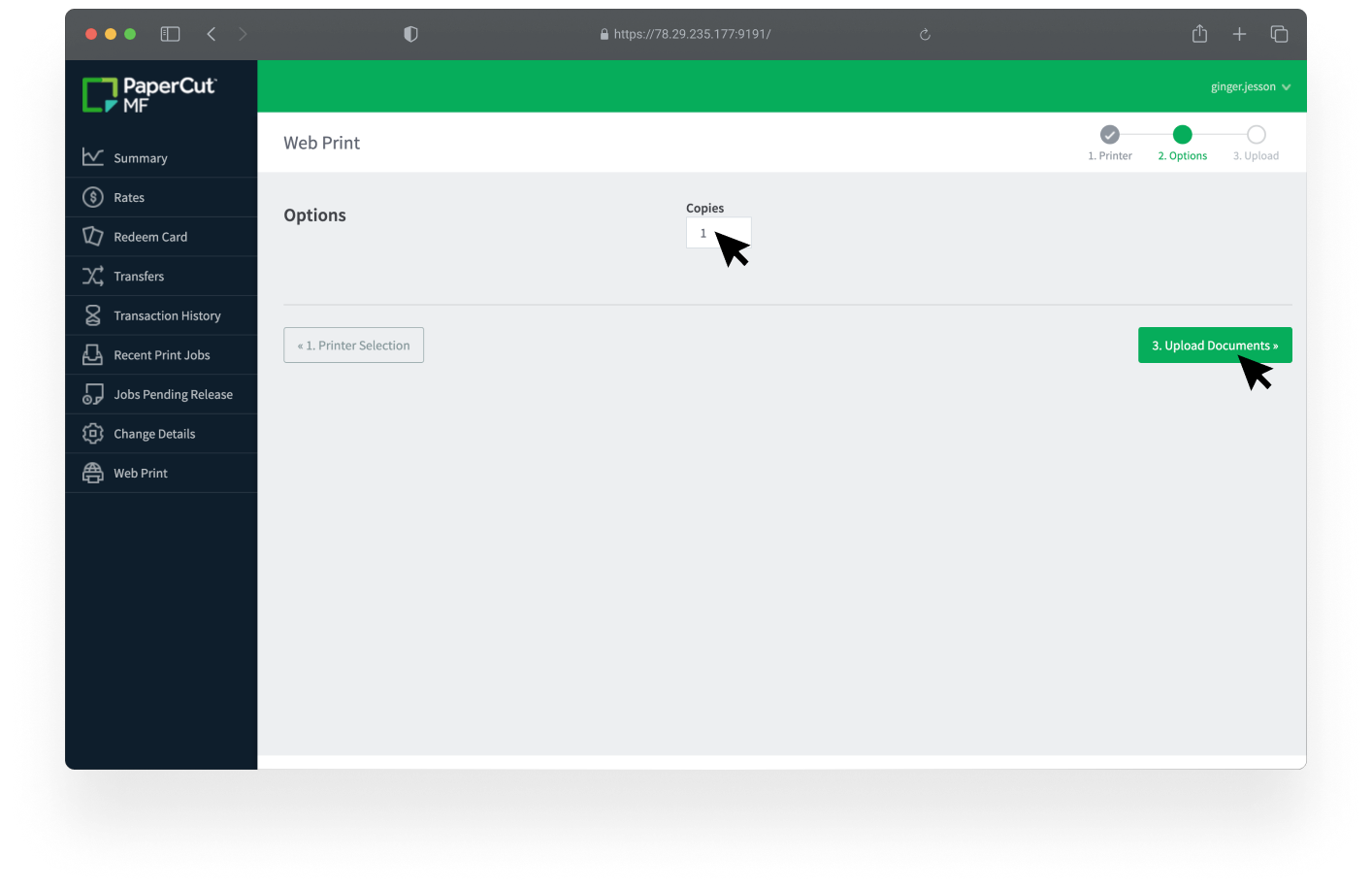
Step 3
– Define the number of copies
– Select “upload documents”
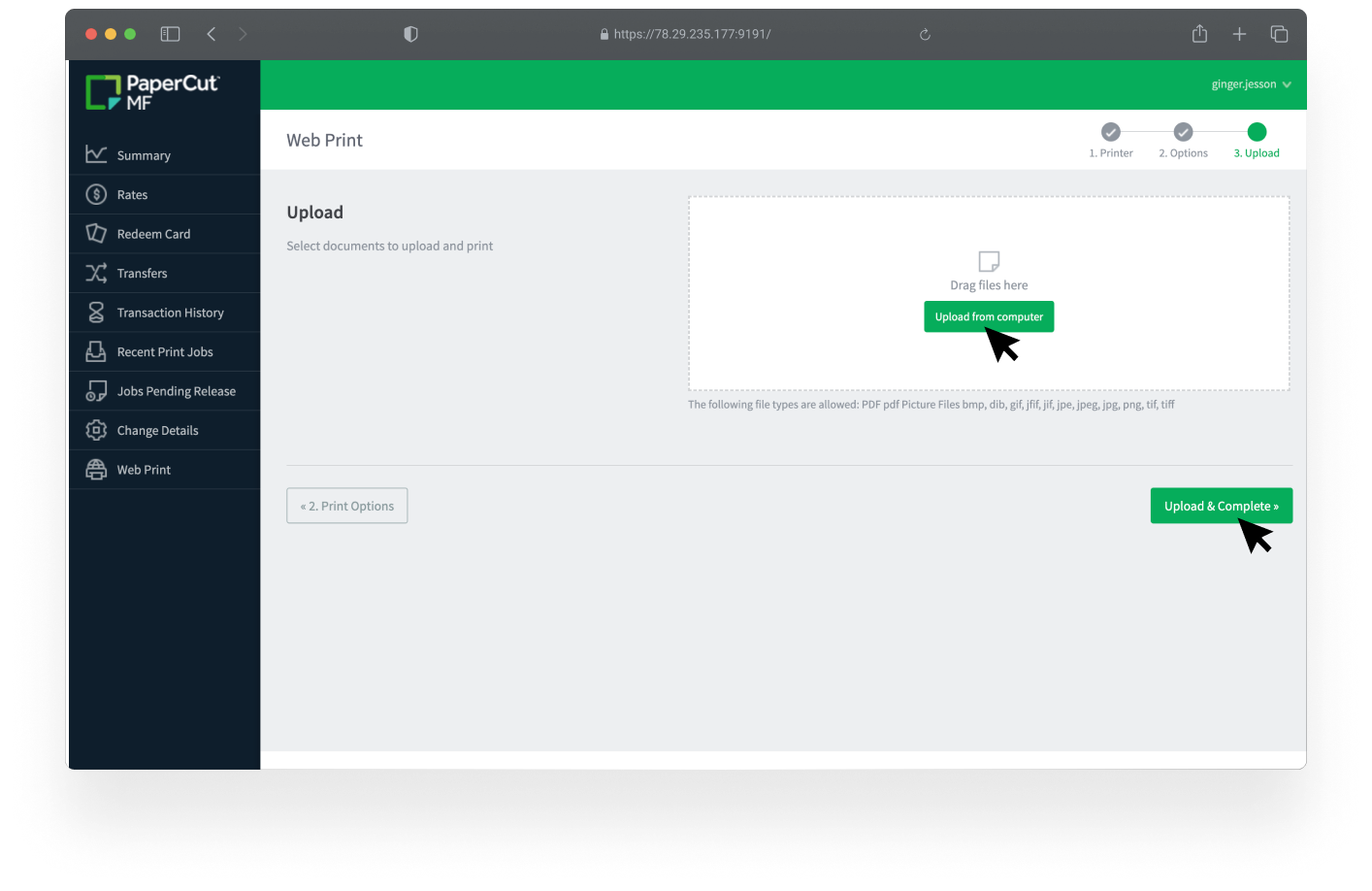
Step 4
– Upload your file(s)
– Select “Upload and complete”
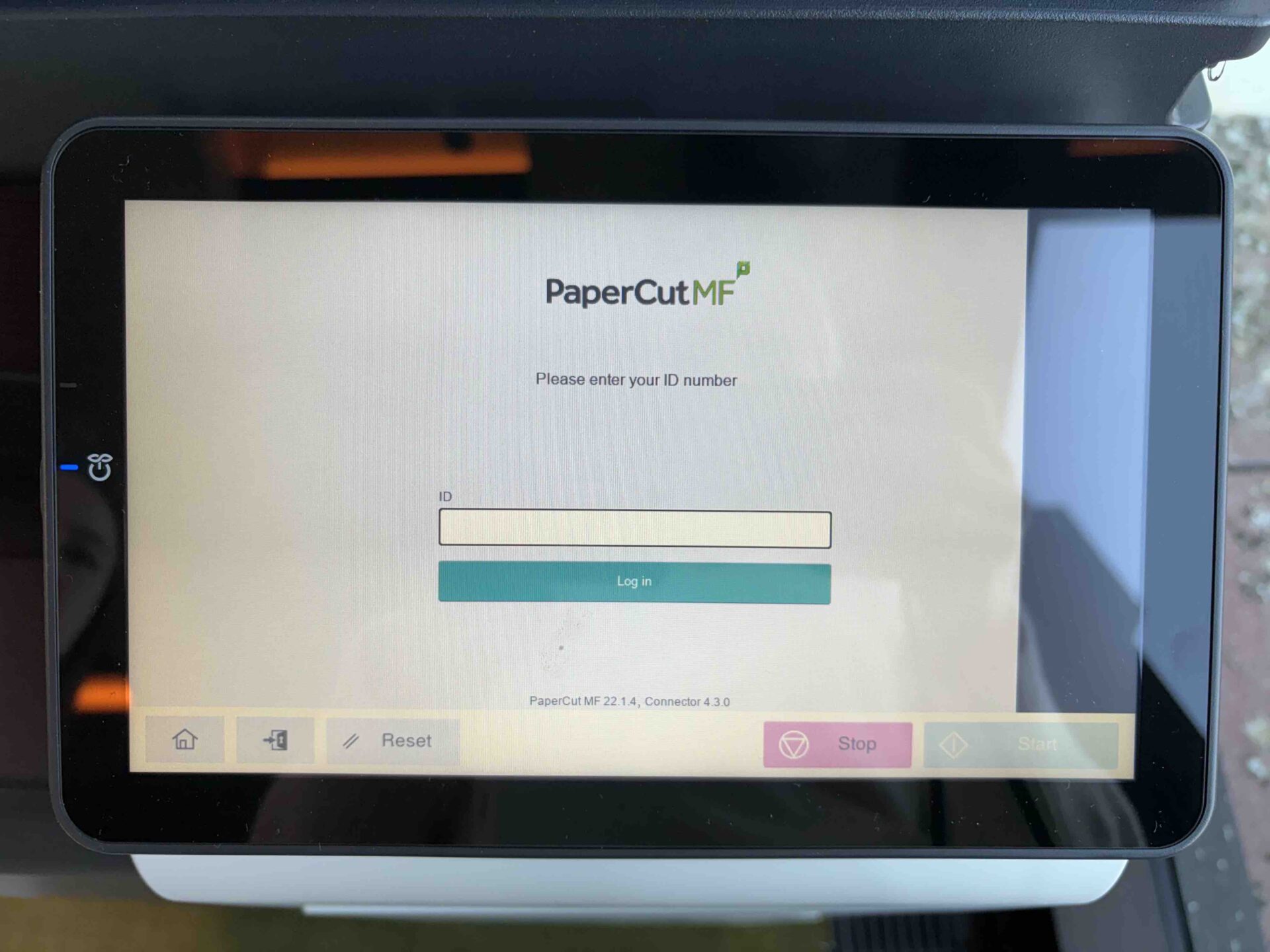
Step 5
– Go directly to the printer screen
– Enter your password
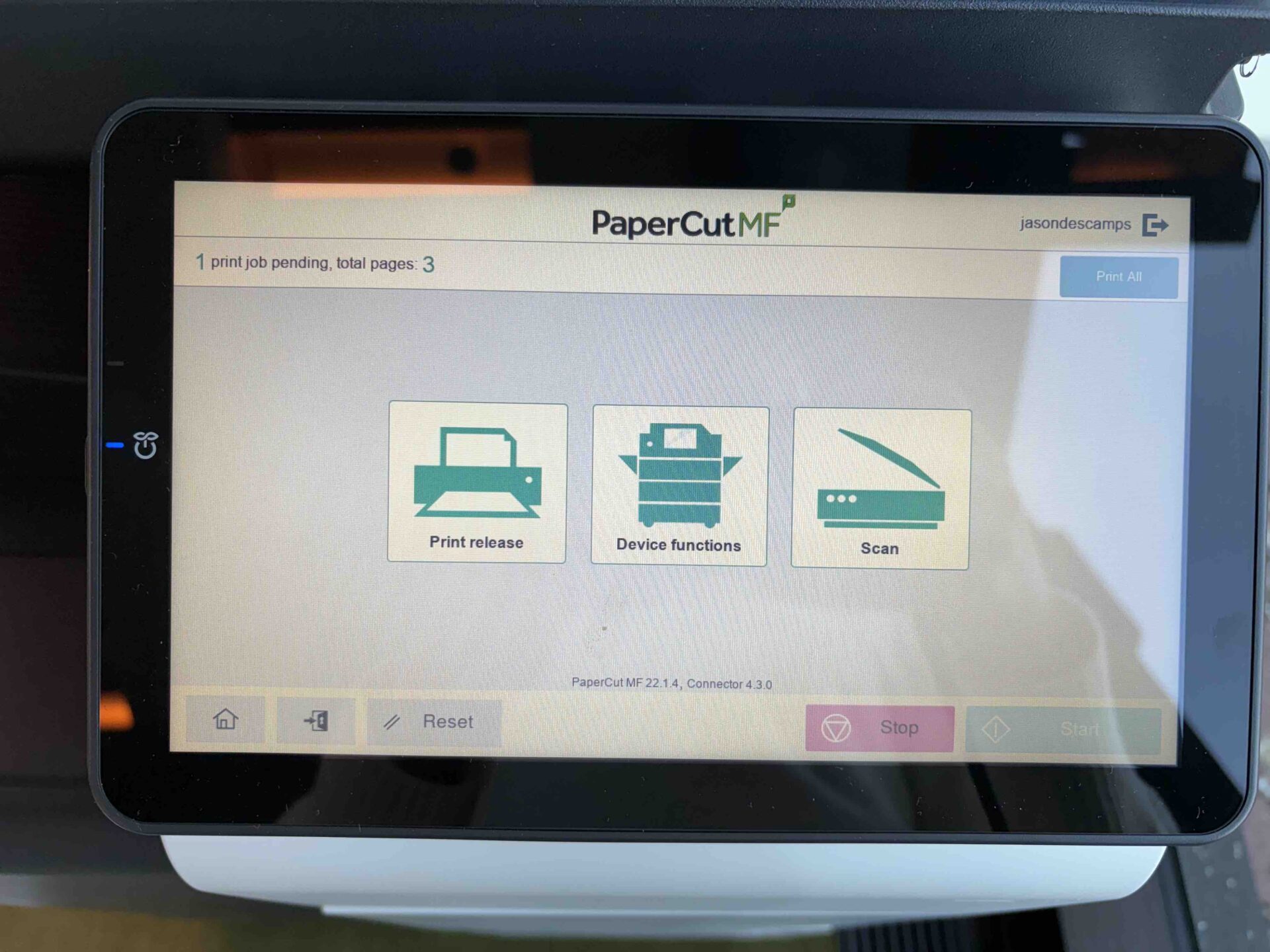
Step 6
– Select “Print Release”
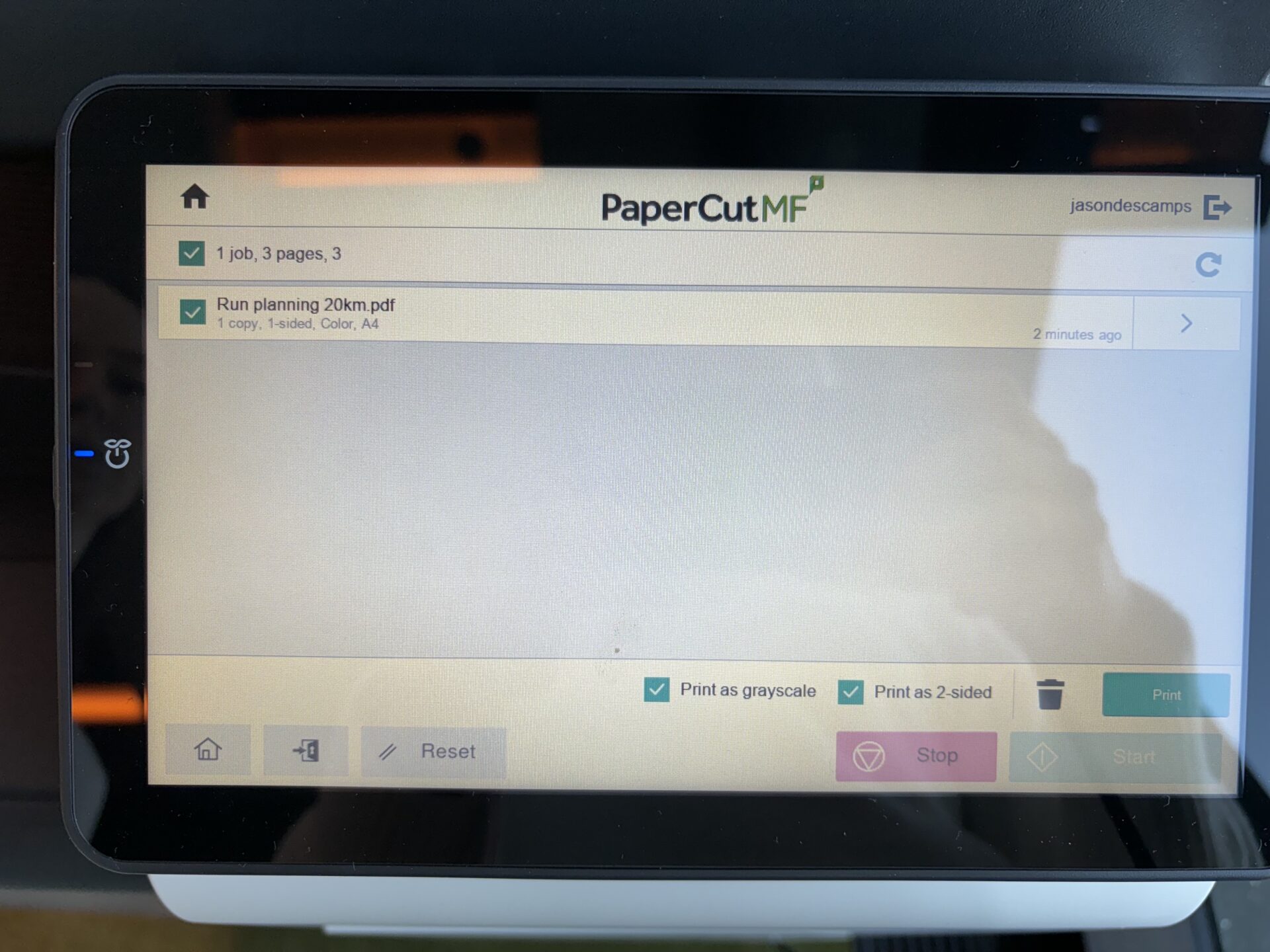
Step 7
– Select the job you want to print
It will automatically be in B/W and 2-sided
– Click on the arrow to change the copies
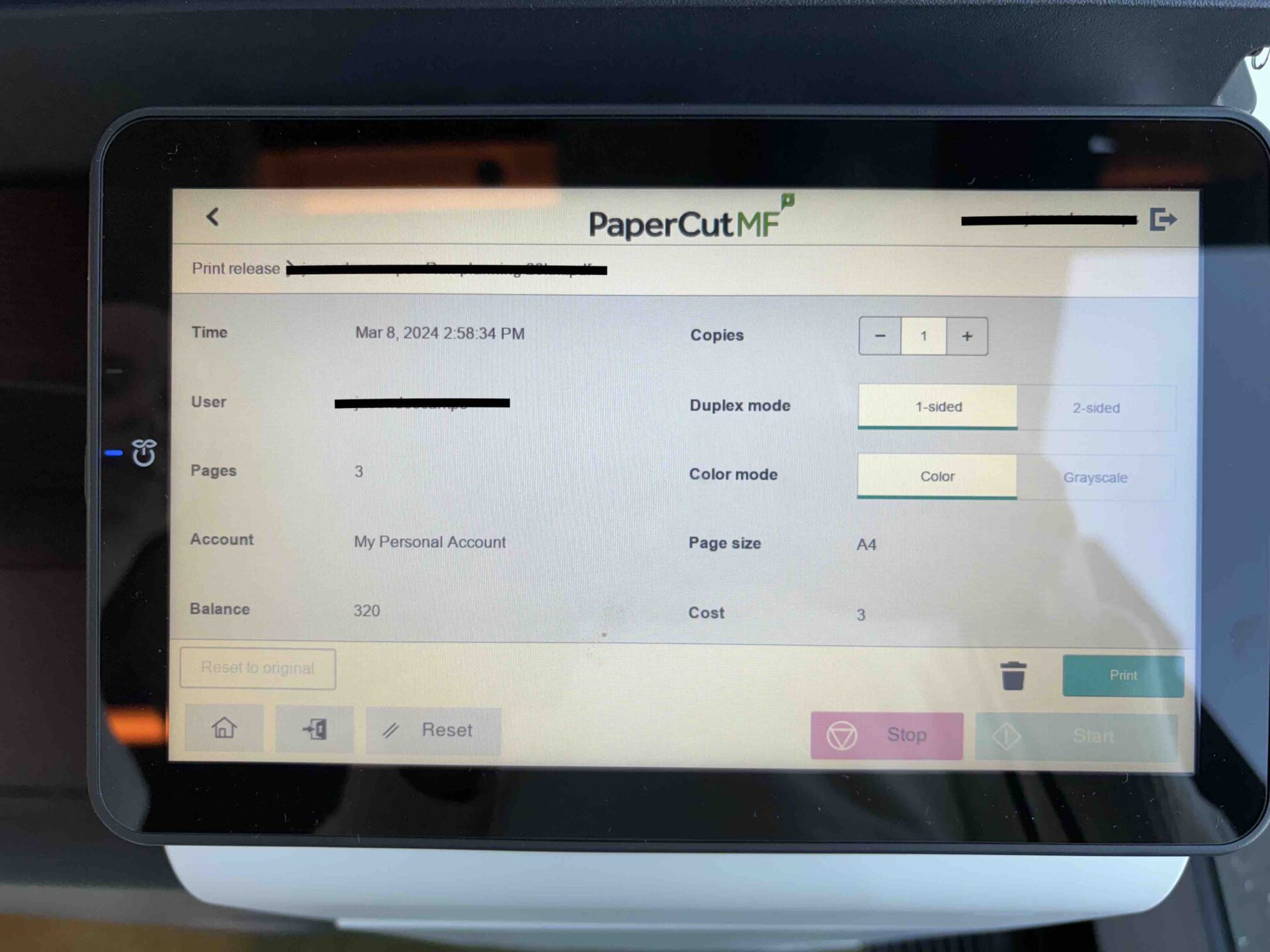
Step 8
– Change the settings if needed
– Click on ‘Print’
Contact us anytime any moment for information.
– The gym reception desk team will help you get all the information you need.
– Mail / members@mix.brussels
– Whatsapp / +32 26694810